
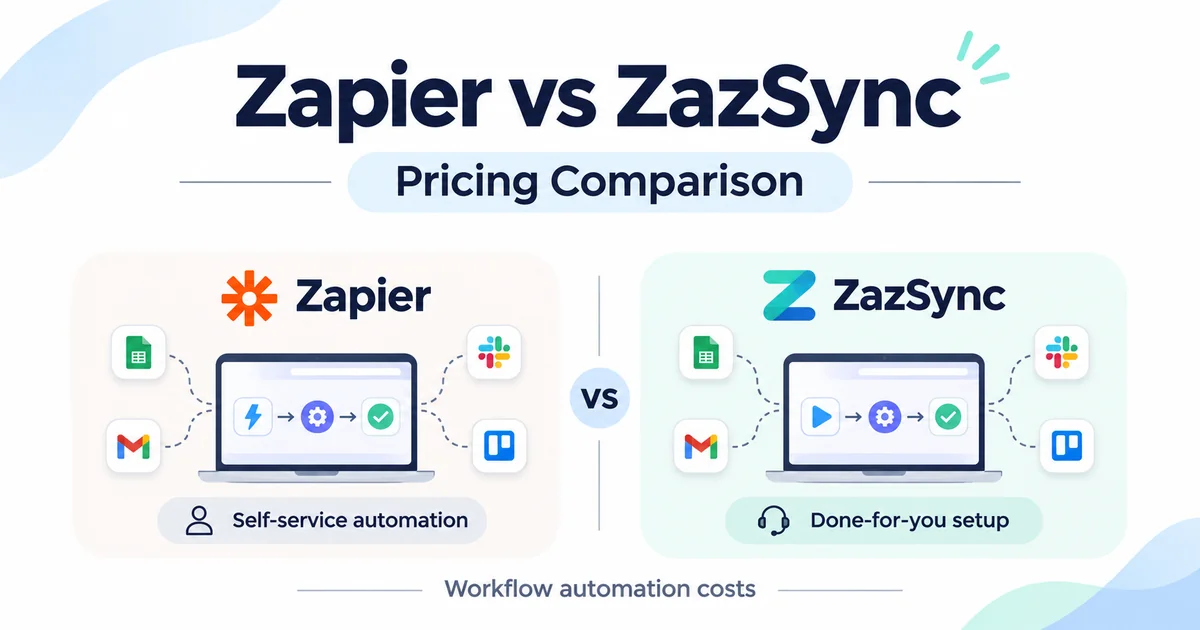
Zapier vs ZazSync pricing depends on whether you want to build automations yourself or have someone set them up for you. Zapier Professional starts at $19.99 per month when billed annually. ZazSync subscriptions start at $6.99 per month, with a separate one-time setup fee starting at $9.99. Task usage, supported apps, and who does the setup matter as much as the headline price.
If you run a small business and need your apps to share information without manual copying, this guide explains the differences in plain English. We’ll show the listed prices, how task counts work, and when paying more can be the sensible choice.
Zapier vs ZazSync Pricing at a Glance
The plans below use USD. Zapier's advertised starting paid prices are monthly equivalents of annual billing, while ZazSync's subscription prices below are monthly rates, based on our November 2026 blog plan. They are not identical products or identical billing commitments.
| Platform and plan | Advertised price | Monthly tasks |
|---|---|---|
| Zapier Free | $0 | 100 |
| Zapier Professional | From $19.99/month, billed annually | 750 at entry tier |
| Zapier Team | From $69/month, billed annually | 2,000 at entry tier |
| ZazSync Starter | $6.99/month | 1,800 |
| ZazSync Growth | $14.99/month | 4,500 |
| ZazSync Business | $29.99/month | 10,000 |
| ZazSync Scale | $59.99/month | 25,000 |
Source: Zapier official pricing, checked November 18, 2026. ZazSync figures come from its November 15, 2026 company blog plan. ZazSync setup is charged separately, and its listed annual subscription discount is 20%.
A plan with more included tasks is not automatically the better plan. First check whether your specific apps and actions are supported, then compare the work involved in building and maintaining the workflow.
For an overview of the managed option, see our cheaper Zapier alternative for small businesses.
What Are You Actually Paying For?
Zapier is primarily a self-service automation platform. You connect apps, choose a trigger, configure actions, test the workflow, and monitor it. That control can be useful if you often experiment, change workflows, or need a broad choice of integrations.
ZazSync is a done-for-you workflow automation service. You tell us which apps and steps you need. Our team builds and tests the workflow on ZazSync's own platform. We do not log into your Zapier account, and we do not build your automation inside Zapier.
ZazSync self-service building is listed as coming soon, not currently available.
The monthly price tells only part of the story: ZazSync charges separately for setup work. For terminology, see our guide to what app integration means.
ZazSync's One-Time Setup Charges
Basic — $9.99: One workflow, up to two apps, one trigger, and one action.
Standard — $19.99: Up to three apps and three actions.
Advanced — $39.99: Up to four apps and five actions, with basic branching or a supported webhook.
A setup tier defines what we can configure as part of that one-time setup. A subscription tier defines your available flows and task allowance over time.
You need to consider both charges, not just the $6.99 starting subscription.
Which Option Costs Less in a Practical Example?
Imagine a three-person agency that wants a new inquiry to create a CRM record automatically. The example is illustrative, not a claim about a customer's results or about the availability of a particular app on either service.
Suppose the workflow requires one trigger and one successful action, and the agency expects 300 inquiries each month.
In a simple action-based workflow, that is approximately 300 action tasks per month. Both a Zapier Professional entry-tier allowance and a ZazSync Starter allowance would cover that usage, subject to the specific integration and plan features.
Now compare the starting cash costs over a year:
| Cost illustration | ZazSync Basic + Starter | Zapier Professional |
|---|---|---|
| One-time platform setup | $9.99 | $0 assumed; DIY |
| Advertised subscription | $6.99/month | $19.99/month equivalent, billed annually |
| First-year total | $93.87 | $239.88 |
Calculation:
ZazSync = $9.99 + (12 × $6.99) = $93.87
Zapier = 12 × $19.99 = $239.88
This is an illustrative price comparison, not a feature-equivalent quote. Zapier may offer integrations or functionality ZazSync does not support, and Zapier's actual monthly-billing price can differ from its annual rate. ZazSync's annual discount is not applied in this example.
Savings are not universal. A complex workflow or premium integration may require another plan—or may be supported by only one provider.
How Do Zapier Tasks and ZazSync Tasks Compare?
A task is a unit of completed automation work, but task accounting is not identical in every circumstance.
Our stated ZazSync model counts each completed action step as one task.
For classic Zap workflows, Zapier generally counts successful action steps; the trigger, Filters, and Paths themselves do not count. Some AI, code, and newer product actions use additional task rates.
Zapier's explanation is in its official task-usage documentation, checked November 18, 2026.
Its documentation also notes upcoming changes for Next Gen Zaps and SDK usage beginning December 1, 2026, so recheck the details if you are using those features.
Take a hypothetical workflow that runs 500 times per month:
| Successful actions per run | Approximate monthly tasks |
|---|---|
| 1 | 500 |
| 2 | 1,000 |
| 4 | 2,000 |
These estimates assume ordinary action steps, successful runs, and no special AI or connector rates. They are a planning method, not a promise of your final bill.
The third row would exceed ZazSync Starter's listed 1,800-task allowance, so Growth could be a better match if the workflow is supported.
It would also exceed the 750-task entry allowance for Zapier Professional. Check a suitable higher task tier rather than assuming the starting price applies.
The practical lesson: Estimate actions per run before comparing monthly subscriptions.
The same number of incoming orders or leads can produce very different task usage if one workflow performs several actions.
When Is Zapier the Better Choice?
There are good reasons to choose Zapier even when another service shows a lower starting price.
You want to build and change automations yourself
Zapier gives you a visual workflow builder. If you routinely test new ideas or change your processes, direct control may be worth the subscription cost.
You need a particular app or advanced capability
Zapier advertises thousands of integrations and features such as premium apps, webhooks, and multi-step workflows.
Check its app directory and the exact actions you need. Do not assume ZazSync supports every Zapier integration.
Several colleagues need to manage automations
Zapier Team includes shared app connections and collaboration features. That can matter more than a lower base subscription price in a growing organization.
You already have reliable Zaps
A working automation has value. Rebuilding it, testing edge cases, and retraining staff all take time.
Switching makes sense only if the expected value outweighs the migration effort and the new provider supports the workflow.
ZazSync is more likely to appeal when your apps and workflow are supported, you prefer someone else to handle the initial build, and your task volume fits a clearly priced plan.
Neither option is universally better.
How to Compare Your Real Automation Costs in Five Steps
List your apps. Write down every source and destination app. Check that each trigger and action is supported by the provider you are evaluating.
Draw the workflow. For example: new inquiry → create CRM record → notify a teammate. Count actions, not just incoming events.
Estimate monthly runs. Multiply expected runs by successful actions per run. Add breathing room for busy months and account for any special usage rates.
Separate software from setup costs. Include recurring subscriptions, one-time build fees, the time you spend configuring the automation, and maintenance responsibilities.
Compare the actual commitment. Monthly and annual billing, task overages, supported capabilities, and who fixes issues can change the better-value choice.
Include time as well as money. A DIY builder fits frequent changes; managed setup may fit a stable workflow.
How ZazSync Can Help
We help small businesses connect supported apps without requiring them to build workflows in Zapier.
Tell us what should trigger a process and what should happen next. We review the request, then build and test an approved workflow on our own platform.
Our setup options begin at $9.99, while subscriptions begin at $6.99 per month, with task and flow limits depending on the plan.
You can review our Zapier alternative service and the complete ZazSync pricing options.
Before any paid work, you can request a free quote for the apps and steps you need.
Frequently Asked Questions About Zapier vs ZazSync Pricing
Is ZazSync cheaper than Zapier?
ZazSync has a lower listed starting monthly subscription price: $6.99 versus Zapier Professional's advertised $19.99 monthly equivalent on annual billing.
ZazSync also charges a one-time setup fee, starting at $9.99. The right comparison depends on the apps, features, task usage, and billing terms you need.
Lower starting prices do not mean the services are interchangeable.
Does ZazSync have a one-time fee?
Yes. ZazSync's Basic setup is listed at $9.99, Standard at $19.99, and Advanced at $39.99.
These are separate from recurring subscriptions. The setup fee covers a defined workflow scope, including the supported number of apps and actions.
Confirm your exact requirements before selecting a tier, because more complex workflows may need a different setup option.
How many tasks do I get with ZazSync Starter?
The Starter subscription includes 1,800 tasks per month and up to five flows, according to the ZazSync blog plan dated November 15, 2026.
Each completed action step counts as one task under that plan's stated accounting.
An automation running 600 times with two completed actions per run would use approximately 1,200 tasks, assuming ordinary supported actions.
Is Zapier free for small businesses?
Zapier offers a free plan with 100 tasks per month and two-step Zaps.
It can work for experimenting with a simple workflow or handling a small number of events.
Once you need more tasks, multi-step automation, or a premium integration, compare the appropriate paid plan.
Check Zapier's current plan features rather than assuming every integration is included for free.
Can ZazSync move my existing Zaps automatically?
Do not assume an automatic migration.
ZazSync builds and tests workflows on its own platform; it does not work inside your Zapier account.
Whether an existing Zap can be recreated depends on the apps, actions, and logic involved.
Share a description of your current workflow and ask for a free quote before making changes to anything that is already running.
Bottom line: Zapier is a strong choice for businesses that want to build and manage their own automations. ZazSync is an option for businesses that want supported workflows built for them with a low starting subscription and a separate setup charge.
Tell us which apps you want to connect and we'll send a free quote.
Zapier, Make, and n8n are trademarks of their respective owners. ZazSync is not affiliated with them.
Ready to automate your workflows?
Tell us which apps you want to connect. Our team will review compatibility, quote an affordable setup, and configure your workflows — done-for-you expert setup for small businesses.